
Understanding AI: A Plain-English Guide—Series Part 2
In Part 1 of this series, we broke down which AI tools are out there and what each one is good for, so the next question is simple: how do you actually get them to give you helpful, accurate answers?
In Part 2, you will easily learn that one of the most useful strategies highlighted in the video is the concept of reiteration. Many beginners assume that if the first answer isn’t perfect, the AI failed. In reality, prompting is a back-and-forth conversation. You can simply reply to the AI, tell it what you liked or didn’t like, and ask it to adjust.
Even better, once you have a conversation that produces great results, you can ask the AI: “Write me a reusable prompt template based on what we just did,” allowing you to build your own library of time-saving prompts for future projects.
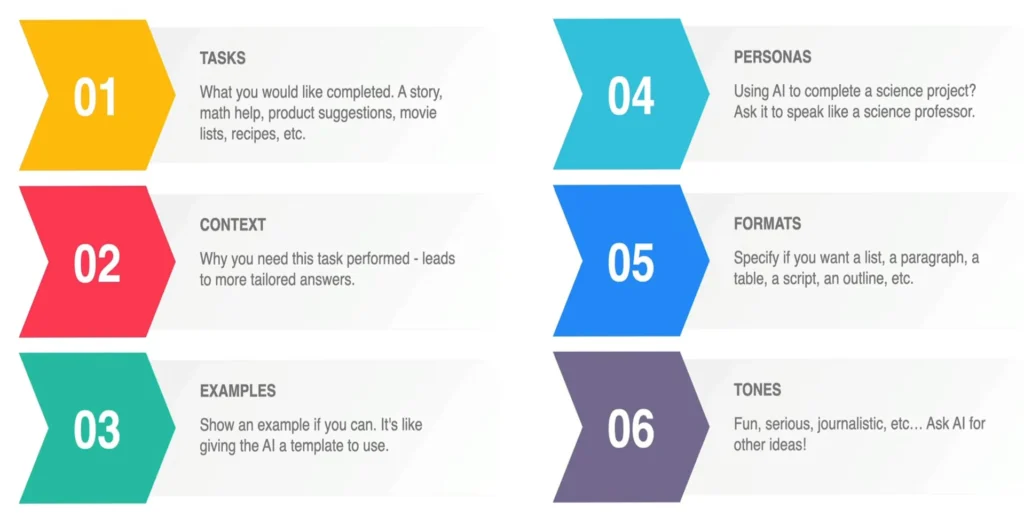
Additionally, the guide covers helpful setup tips like using Custom Instructions. This built-in setting allows you to tell the AI who you are and how you prefer it to speak to you by default—so you don’t have to re-explain your preferences at the start of every new chat. It also offers vital privacy reminders about avoiding sensitive personal numbers or passwords when chatting with public AI models.
Whether you want to draft tricky emails, organize daily chores, generate recipe ideas, or summarize agency reports, mastering prompting is the single best skill to unlock AI’s true potential. Watch the quick 8-minute video above to start fine-tuning your prompts, and try out these techniques on your next task!